

Route anything into the session that should handle it.
An always-on coding agent you can post to. CI, monitoring, chat and your own keystrokes all land in one specific live session, addressed by id.
npm install -g agent-session-router
Requirements Source npm MIT
In the app
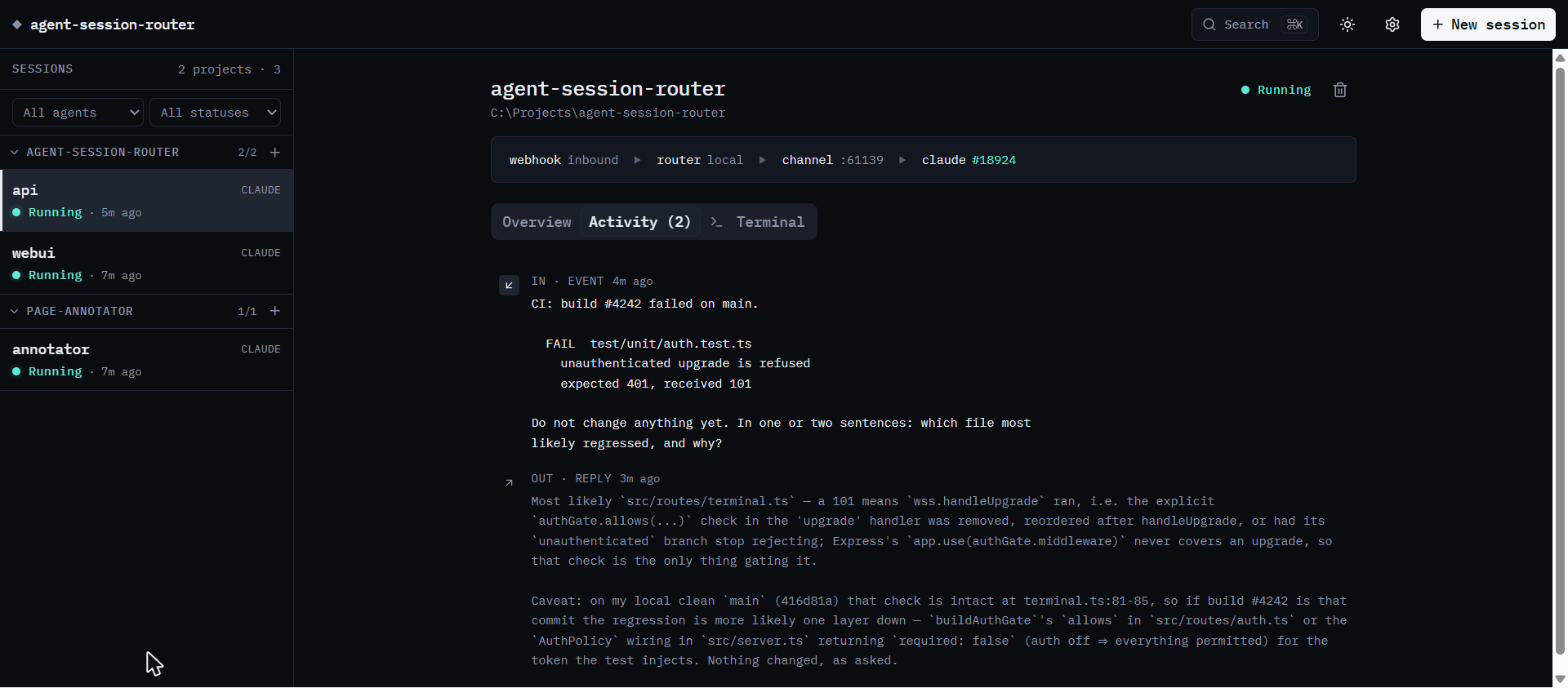
An event arriving in a session.
The problem
A running agent has no inbox.
Your session already knows the repo. Every integration you bolt on starts one that doesn't.
A new session, every time
The webhook starts an agent that re-reads what yours already knew.
The session you're already in
The event is addressed by id. It arrives with the context intact.
How it works
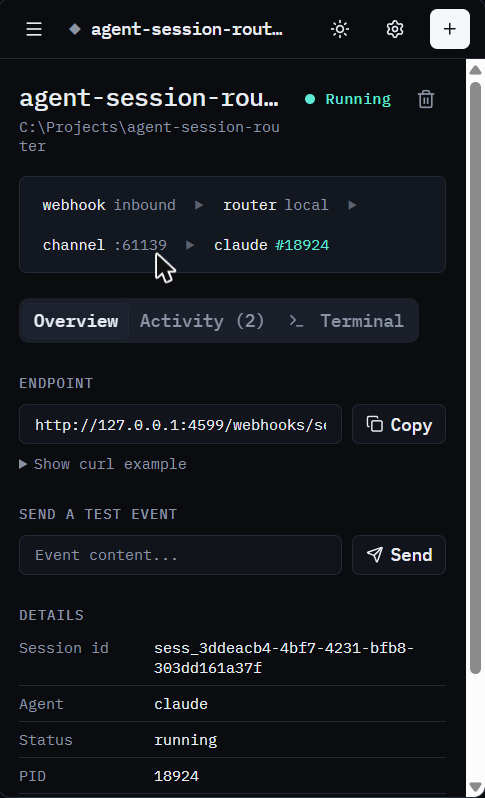
Start a session, then post to its id.
-
Start a session in a folder
One POST. You get an id back.
-
Point anything at that id
CI, monitoring, a cron job, the web UI, a chat bot.
-
The answer comes back out
To your
callback_url, when the agent replies.
# start a session in a project
curl -X POST localhost:4500/sessions \
  -d '{"agentType":"claude",
       "workDir":"~/code/api"}'

201 { "id": "sess_abc123", … }
# send it your CI failure
curl -X POST localhost:4500/webhooks/sess_abc123 \
-d '{"content":"build #42 failed on main",
"callback_url":"https://ci.example.com/hook"}'
202 handed to the sessionHow it's wired underneath pty, MCP channel, one port per session
The other way in
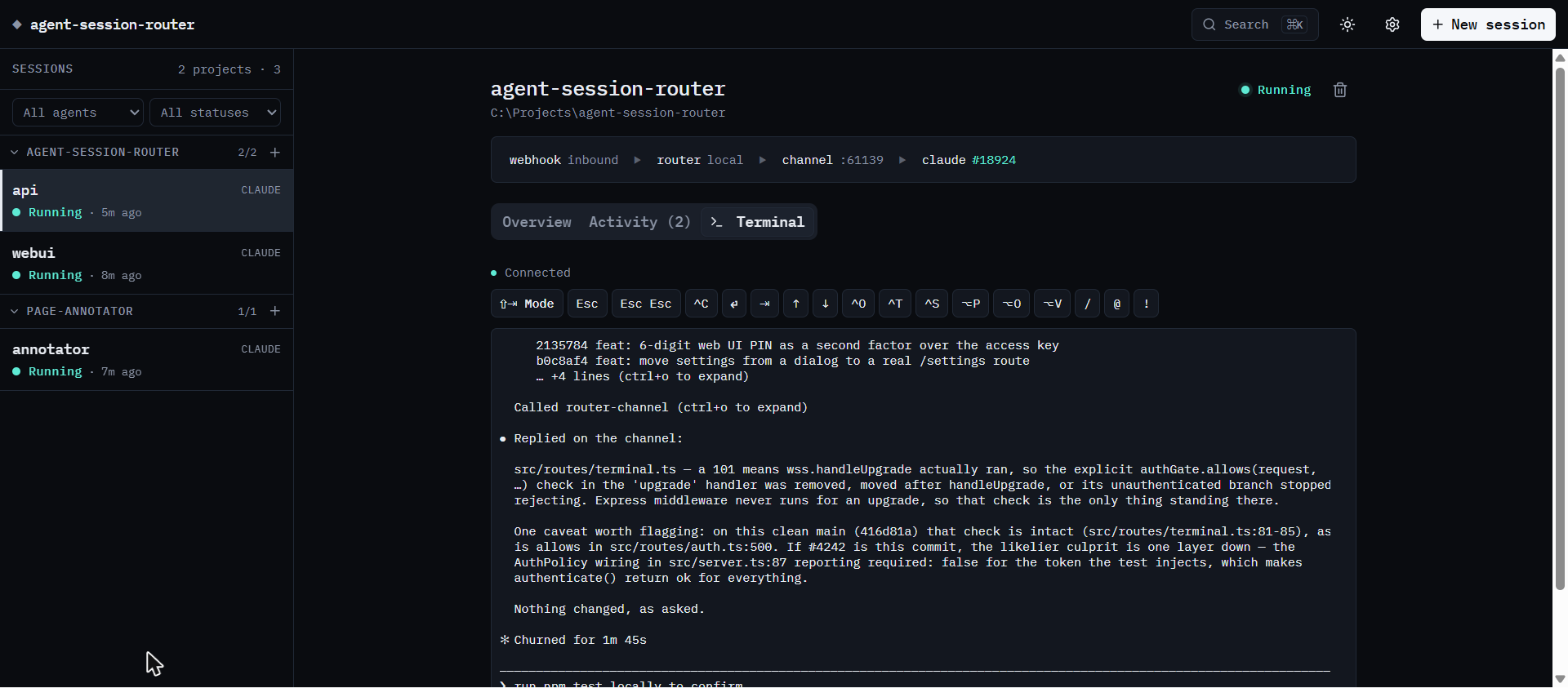
There's a terminal too.
Attach to the session's pty while webhooks keep arriving on the channel.
What's in it
A session manager, not just a webhook sink.
Browser terminal
Attach to any session's pty. Detaching never kills it.
Scoped keys
CI gets a key that can post events and nothing else.
Resume after a restart
Same id, same conversation. Senders keep working.
Grouped by project
Filed under the enclosing git repo. Nothing to create.
Agent-agnostic core
Claude Code ships working. Codex is a stub.
Loopback by default
Binds 127.0.0.1. Refuses a public bind with no key.
Before you expose it
This API spawns processes and hands out a shell.
A mistake here is remote code execution, not a data leak, so the defaults are closed.
Closed by default
Loopback bind, a workDir allowlist, and no public start without a key.
Not a substitute for a proxy
Publishing it? Put Cloudflare Access in front of the hostname too.
Install
Run it on your own machine.
npm install -g agent-session-router
agent-session-router --port 4500
Then open http://127.0.0.1:4500.
- Node.js 20 or newer
- The
claudeCLI on yourPATH - A Claude account with Channels available (research preview at time of writing)
- Prebuilt on macOS and Windows; Linux compiles
node-pty
FAQ
Common questions.
Which agents does it support?
Claude Code works today. The core — registry, REST API, webhook
ingestion — knows nothing about any specific CLI; it calls a
SessionAdapter. The Codex CLI adapter is a stub that
returns 501.
Installing on Linux, or in Docker, fails at npm install
There's no prebuilt node-pty for your platform, so it
falls back to node-gyp and needs a toolchain present
before you install — a stock node:*-slim image
or a minimal CI runner won't have one. Run
apt-get install -y python3 build-essential first, and use
a glibc base rather than Alpine: the native addon will not load
against musl.
Can I put it on the public internet?
It refuses to start on a non-loopback interface without a key. Add an
identity layer such as Cloudflare Access over the whole hostname as
well — a key is defence in depth, not a replacement for one. Note that
once the router has been reached through a proxy it will no longer
mint a first key or let you disable authentication, even from
localhost: cloudflared connects from localhost too, so a
loopback source address proves nothing about who is calling.
What survives restarting the router?
The session record, its id and its conversation — resume
relaunches the agent on the same transcript, so senders and callbacks
keep working. Not carried over, and worth knowing: the pid, the
channel port and token, terminal scrollback, anything in flight at the
moment of the restart, and the event history. This is a relaunch, not
a reattach — the router owns the pty, so the old process died with it.
Does my code or my events go anywhere?
No. The router is a process on your machine talking to a CLI on your
machine. It has no backend, no telemetry and no account. Outbound
traffic happens only when you set a callback_url, and
that goes where you point it.
Why a pseudo-terminal, rather than just spawning the CLI?
Claude Code's Channels feature checks for a genuine interactive terminal; a piped child process is treated as non-interactive and errors out. The pty is also what makes the browser terminal possible. The full picture is in architecture.md.